

Connect Claude to Instagram. Then give it a real job.
The full written training: connect your account, verify access, turn account evidence into content decisions, and prepare approved posts.
 Dev Anandpara, founder of Evolve Demand
More AI + marketing at devash.ai
What you’re connecting
Claude is the interface. Composio supplies the connector and Instagram tools. Your Instagram account supplies the data and permissions. A skill can describe a process; it does not grant access to an account.
- Use an Instagram Business or Creator account that you control.
- Check that your Claude plan and organization allow custom connectors. An organization owner may need to enable access.
- Review the current Composio access and pricing requirements before connecting. This guide does not promise free access.
- Start with reading posts. Account insights and publishing depend on the actual permissions and tools available.
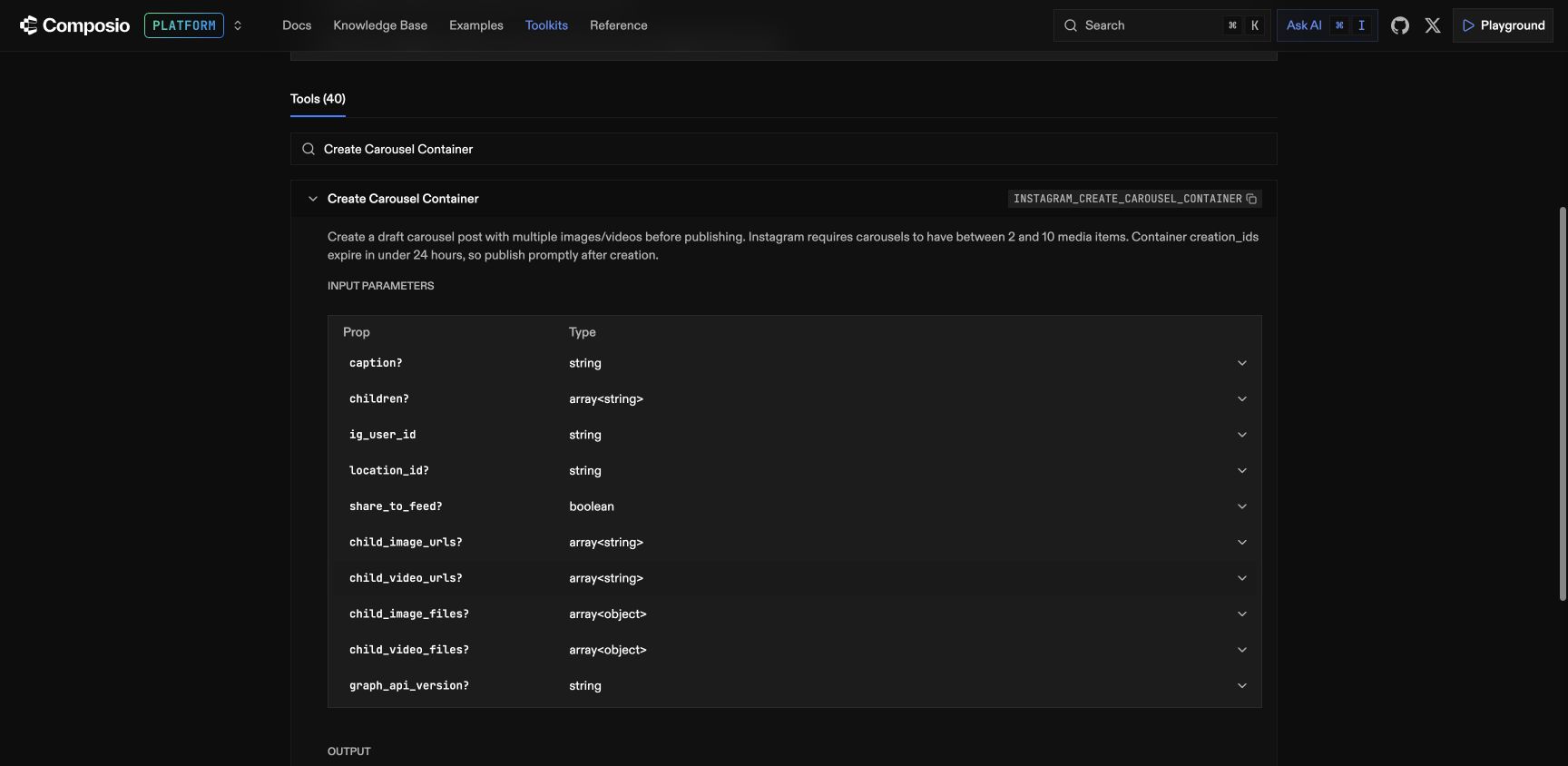
Screenshots are from Composio’s documentation; they do not show a live Evolve Demand connection.
Add the connector. Connect the account separately.
- In Claude, open Customize → Connectors → Add custom connector.
- Name it Composio. Enter
https://connect.composio.dev/mcpas the server URL. - Follow the current authentication prompts and review the access requested.
- In a chat with Composio enabled, ask: “Connect my Instagram account.” Complete the generated Instagram authorization for the intended account.
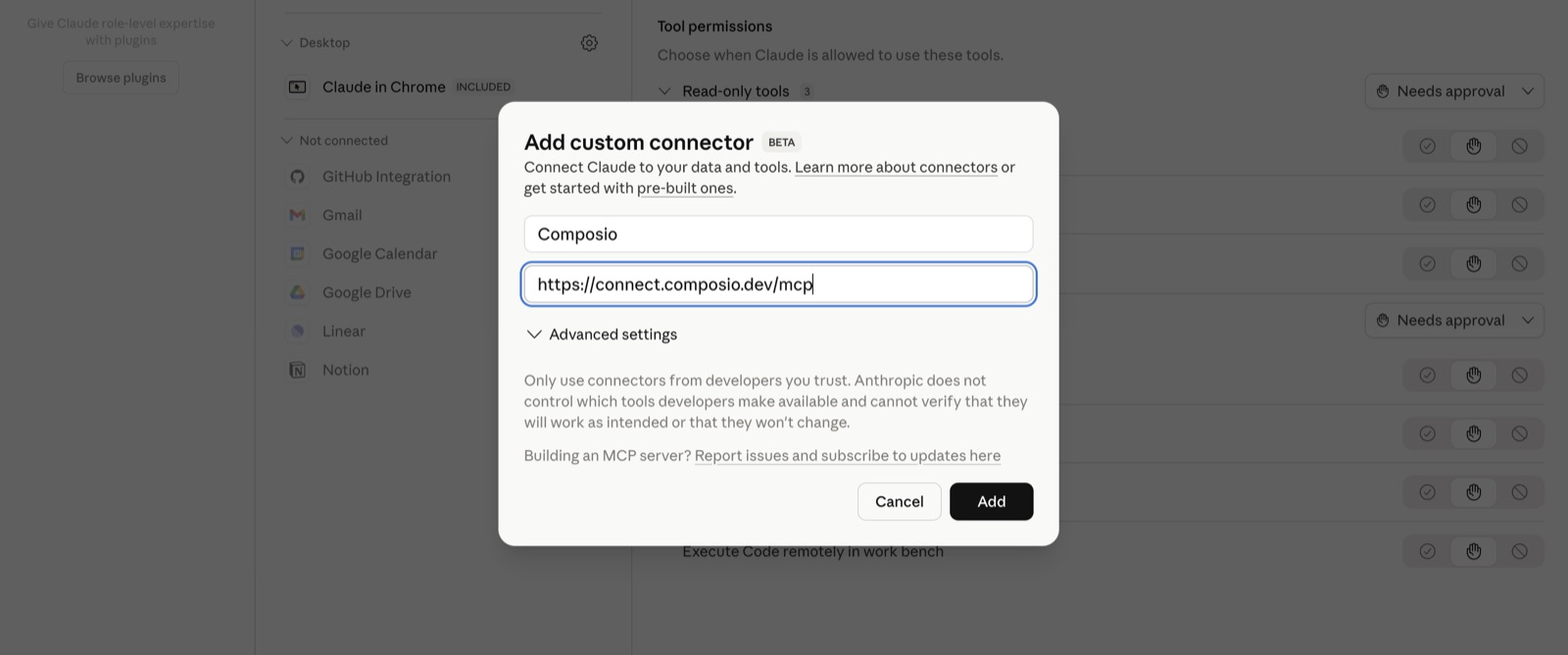
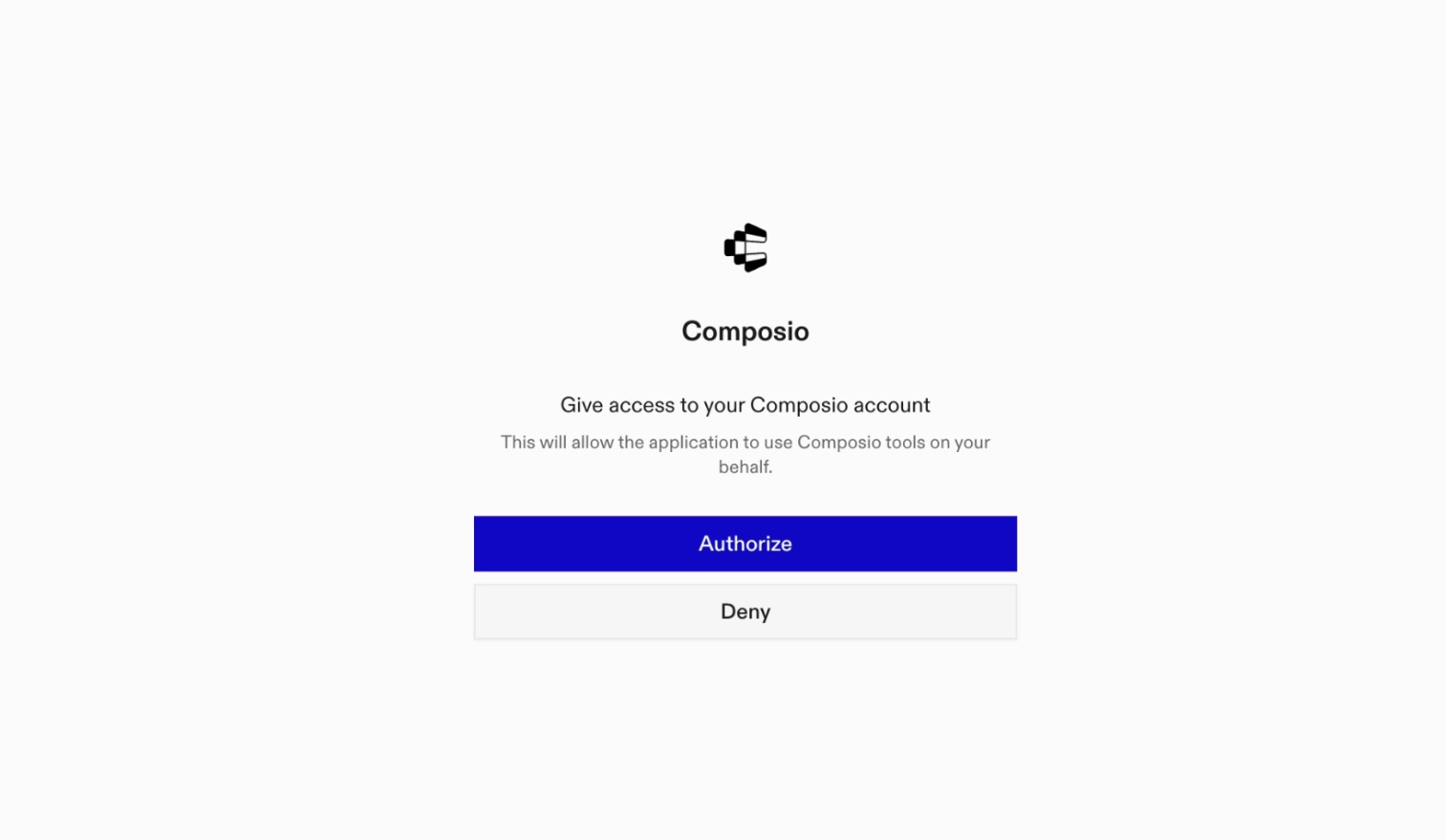
Checkpoint: a saved connector is only configuration. The next step verifies which account it can actually read.
Prove it’s reading the right account.
Run a small, read-only job first. Check the returned handle and open one permalink yourself.
Use my Instagram connection to show the authenticated username and account ID. Retrieve my last 10 owned posts with media ID, permalink, timestamp, media_type and media_product_type. Do not publish, reply or modify anything. Flag missing fields. Let me verify one returned link before continuing.
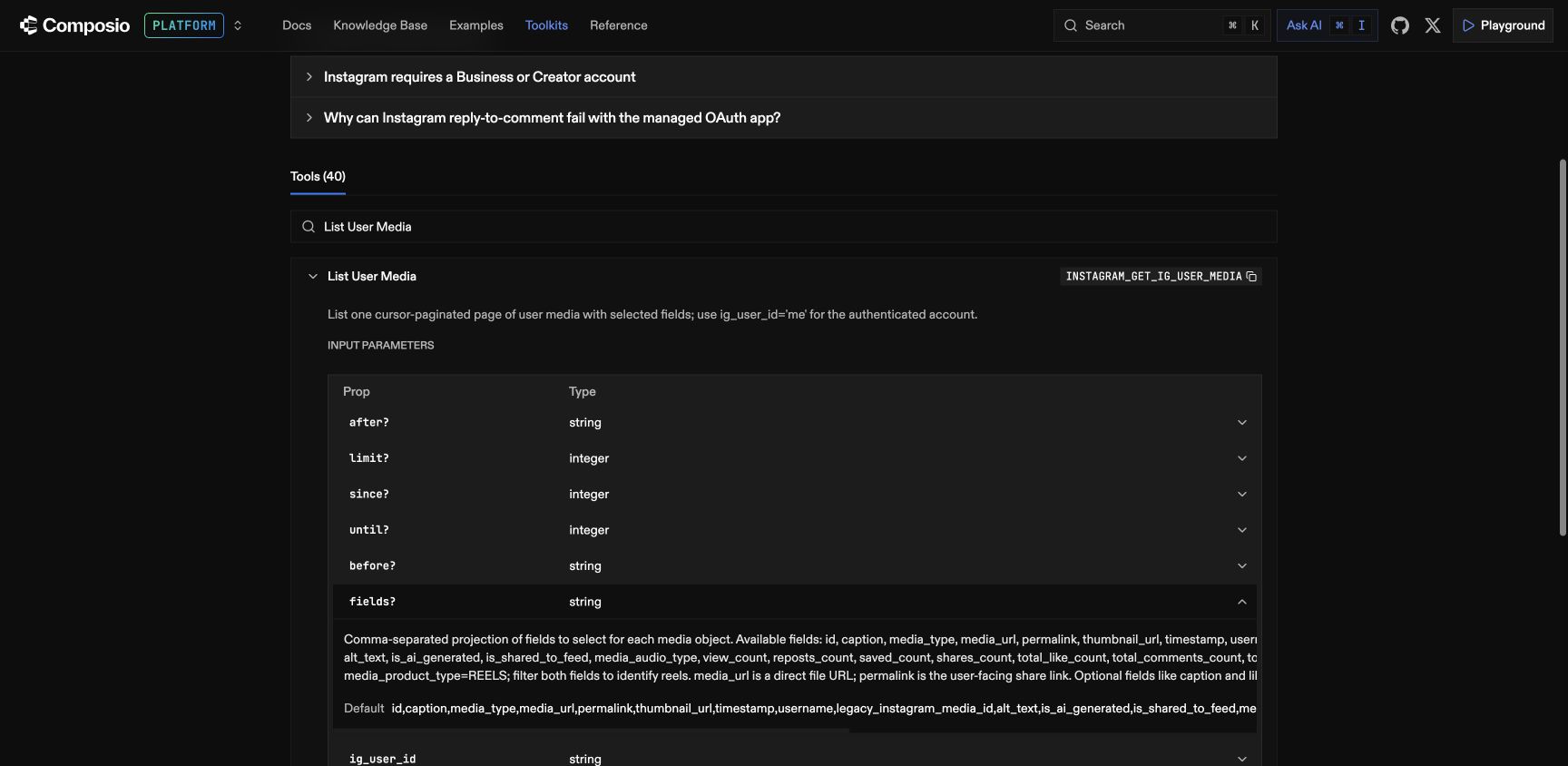
Expected output: your account identity and up to 10 posts with links. An empty feed on a new account is not proof of a broken connection. An unrelated handle is a stop-and-correct result.
Build a brief from the evidence.
Compare Reels with Reels and carousels with carousels. Keep the raw counts next to any rate. A high save rate from a very small audience deserves context.
Use a fixed 30-day date range and state the dates and timezone. Follow pagination until the cohort is complete or clearly mark it partial. Group Reels separately using media_product_type, not only media_type=VIDEO. Retrieve supported saved and reach metrics for each item. Show IDs, permalinks, dates, raw saved, raw reach and saved/reach. Keep absent metrics absent; do not divide by zero. Compare within format, flag low-reach observations, and don't infer causation. Identify three caption themes worth a follow-up and write one content brief per theme. Don't claim to have watched videos you only have captions for.
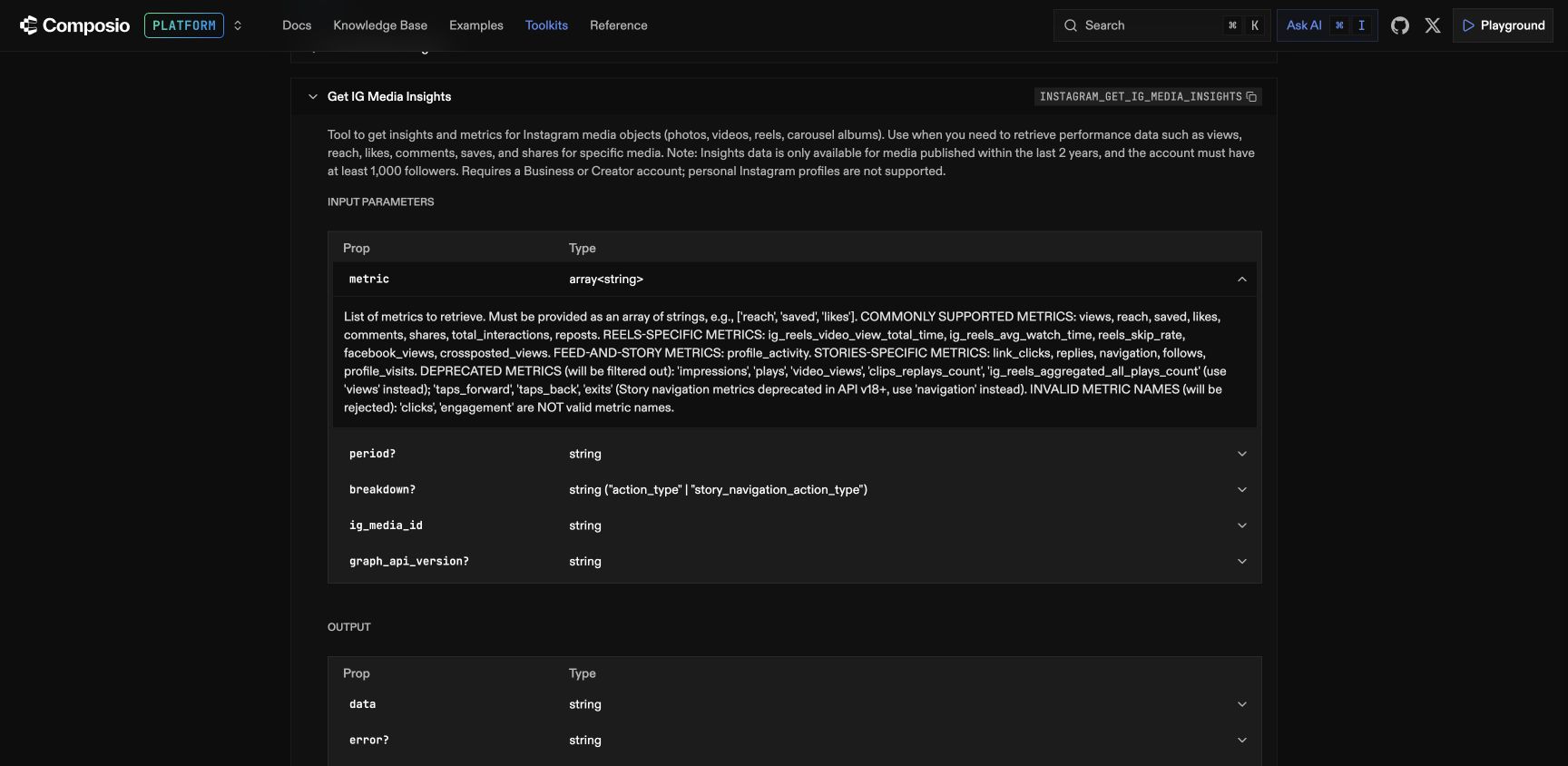
Eligibility matters: the provider’s media-insights description inspected for this training lists at least 1,000 followers and media within two years. Verify the current connector’s requirements on your account; this is not a universal claim about Meta. If metrics are unavailable, use the post and comment workflows instead.
Expected output: a dated, format-separated evidence table and three proposed briefs. Missing data stays missing. Caption analysis cannot establish what happened throughout a video.
Let recurring questions shape the next post.
Choose owned posts in scope. Group what people actually ask, preserve the source IDs, and turn repeated questions into specific lessons.
For these owned media IDs, fetch comments through all pages in scope. Group recurring questions by theme. Return theme, count, representative comment IDs and a proposed educational post. Distinguish direct quotes from your interpretation. Draft three briefs for the most repeated themes. Do not send replies or DMs.
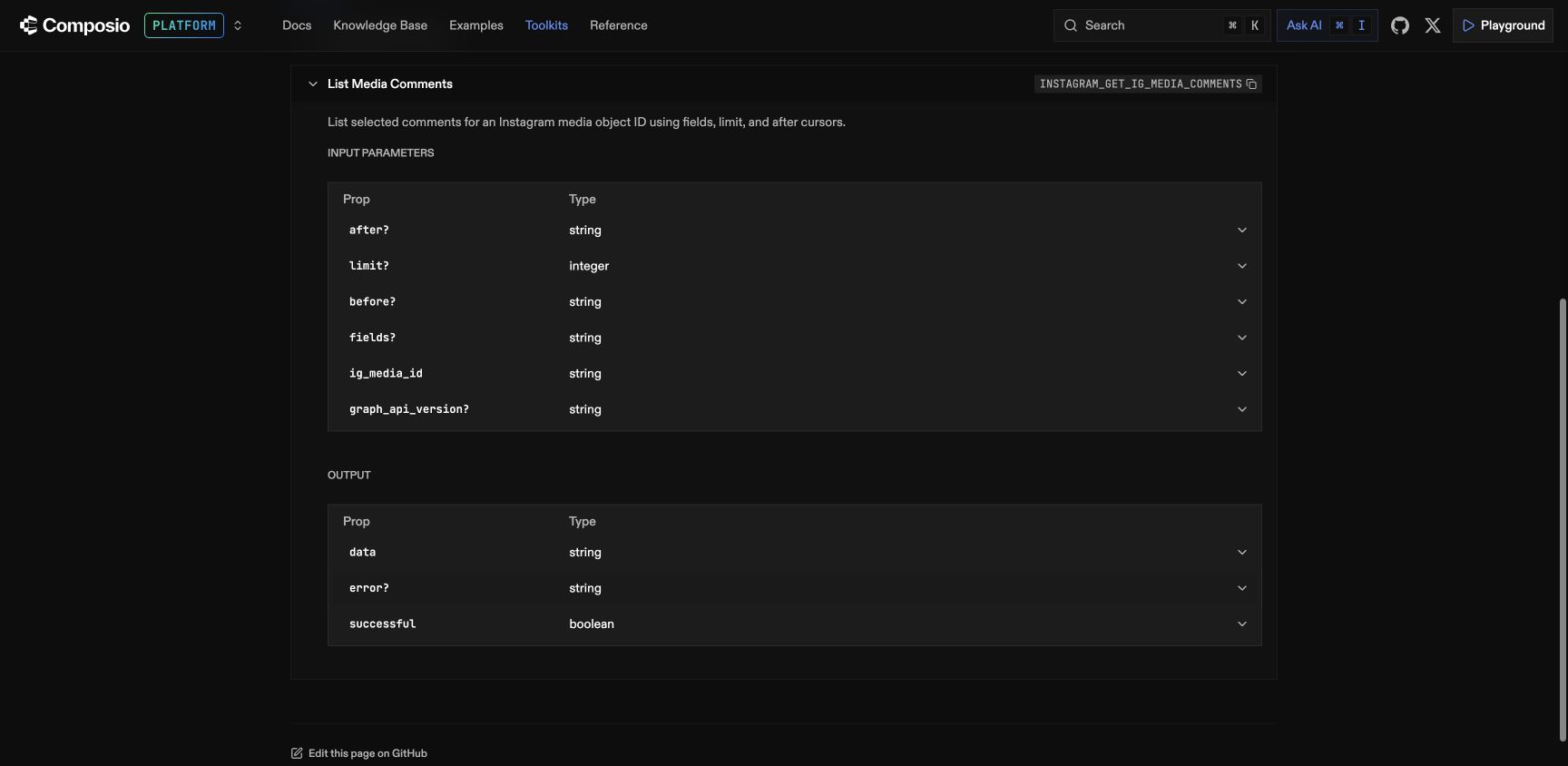
Business application: a salon’s recurring booking questions can inform a NailGrow content brief. A Shopify brand’s product-use questions can inform a ShopGrow demonstration. These are proposed applications, not reported client outcomes.
Expected output: question themes, counts and source IDs. Reading comments does not itself send replies or DMs.
Prepare, review, then publish.
The connector’s documented carousel route separates container creation from publication. Use the exact approved account, slide order and caption. First, prepare the review:
Use this approved account ID, caption and ordered set of image assets. Validate them against the current carousel-tool requirements. Show the target handle, slide order and caption for review. Do not create or publish anything yet.
After the account owner approves the exact materials, use this separate instruction:
Prepare the approved carousel with those exact assets and caption. Check the processing status. Publish only the approved container. Return the created media ID, fetch its permalink and verify the published post. If any tool fails, stop and report that failure; don't claim the post is live.
For the direct-URL path, the inspected tool requires public direct HTTPS JPEG URLs and documents 2–10 carousel items. A Drive share page is not an image URL. File inputs may also be available; inspect the live schema for your client.
Expected output: published media ID and a verified permalink. A container ID is not a published post. A prompt requesting approval is an operating instruction, not a guaranteed technical access control.
Troubleshooting
When a step doesn’t work.
Claude can’t see the connector
Check that the custom connector saved successfully and is enabled for this chat. Check plan and organization permissions. Confirm the exact URL against the linked setup guide.
The connector is authorized, but Instagram is missing
Composio authorization and Instagram authorization are distinct. Ask to connect Instagram, follow the account authorization link, then verify the returned handle. Avoid repeated authorizations until you know which step is missing.
Insights are empty or unavailable
Ask for the actual error and missing fields. Check current account eligibility, permissions, date range and metric support. Do not turn absent metrics into zero. Continue with post metadata and comment themes where supported.
A “30-day report” has only a few posts
Ask whether the tool followed pagination. Require the exact start/end dates, timezone, included post IDs and a partial-data label when pagination or tool limits prevent a complete cohort.
Claude created a container but the post isn’t live
Check processing state and whether the separate publishing tool succeeded. Ask for the published media ID and permalink. If the result is uncertain, inspect Instagram before trying again to avoid a duplicate post.
The systems
The workflow is one piece. The system connects the rest.
At Evolve Demand we apply this thinking to the steps a specific business needs, from finding demand to following up. The Instagram workflow above is an example, not a claim that one connector runs all four systems.
 Nail salonsNew-client acquisition for one salon per area: ads to women near your salon, every lead texted back inside 60 seconds, first visits steered into Monday to Thursday, and a rebook text when the fill is due.
 Shopify brands, $10k–$100k a monthNew-customer acquisition for brands selling their own stock: Meta and Google Shopping ads on a defined product set, every first order tracked on your own checkout, and spend held at or under the break-even you set.
 Window & door replacement companiesReplacement-project acquisition for window and door companies: ads to homeowners in the areas you serve, every lead contacted inside 60 seconds, and a receipt that shows which ad paid for each signed job.
 Brands that want athletes selling their productContent made with athletes your buyers already trust, found through our NIL partner, run as paid social, with every order tracked back to the ad that produced it.
Source material
Technical setup and tool availability can change. Check the provider’s current pages before making account changes.
- Composio’s Claude + Instagram setup guide
- Composio Connect documentation
- Instagram toolkit reference
Independent educational walkthrough. Tool names and logos identify the products discussed.
Free strategy call
Want to see what fits your business?
Bring the workflow you want to improve. We can map where AI helps, what still needs a person, and whether one of these systems is relevant.
Book a Free Strategy CallOr go straight to the system built for your business